 Garment GopherShirt shop software: from first quote to money in the bankCall or text 563-210-0678
Taking over the family print shop. The phone still asks for your dad.
Your first Monday in charge, the shop phone rings at 7:40. The caller asks for your dad. So does the next one.
Taking over the family print shop goes best in three 30-day blocks. Learn how it runs, fix the one step that breaks most, then show your parent one real order done the new way.
Nothing gets thrown out in the first month. The shop has run this way for years, and it got this far.

One page, three blocks of 30 days, twelve steps. Each step gets a date when it's done. Above is part of a filled-in example.
Free, no sign-up. On a phone, pick Print, then Save as PDF.
Five of the steps below link to a longer post, and each of those comes with a free sheet. This page puts every step in order.
Taking over the family print shop starts with 30 days of watching
Run it their way for the first month. Answer the phone, write up orders, stand at the press. Don't move anything yet.
Follow five orders from the first call to pickup. Write down where each step lives: the text thread, the order book, the whiteboard, the basket by the door.
The step that breaks most shows up fast. A missed size, a deposit nobody wrote down, a due date only one person knew.
In week one, find out who owes the shop money
Ask early, before it sounds like blame. Who's paid, who still owes a balance, and for how long?
Our post on how to track unpaid invoices has a one-page sheet for it: every balance, how many days late, and 15 minutes every Friday to keep it current.
Days 31 to 60: move the one step that breaks most
Pick one step, the one from your notes. Run it both ways for two weeks, paper and screen. Then stop the paper for that step only.
The paperless print shop plan walks it one step at a time, with a sheet for the dates.
Give each person on the crew one screen to learn
Whoever has run the same press for 20 years gets one screen first: the one that answers the question they walk up front to ask.
The crew card lists each person, their question and their screen. Make the press person the one who checks it each morning.
Price the software for everyone who'd log in
Your parent will ask what it costs a year. Count every person who'd open it in a normal week, then price that number.
Our screen printing software cost table prices five tools for 1, 3 and 5 people, from their own pricing pages.
Already on Printavo? Bring the history with you
If the shop runs on Printavo, years of customers and jobs are in it. Export them before you cancel anything.
Here's how to export your data from Printavo, step by step, and what the export leaves out.
Days 61 to 90: show your parent one real order on a phone
Skip the pitch. Pick one order from this week and run it start to finish while your parent watches: the quote, the customer's yes, the work order, the invoice.
Then ask what they want to see next, and write it on the sheet. That's month four.
Where Garment Gopher fits
Garment Gopher keeps the whole order in one place, from the quote to the invoice, on a computer or a phone.
- The schedule: the Job Board shows every job with its due date and status. Overdue jobs turn red, and jobs due within 3 days turn amber.
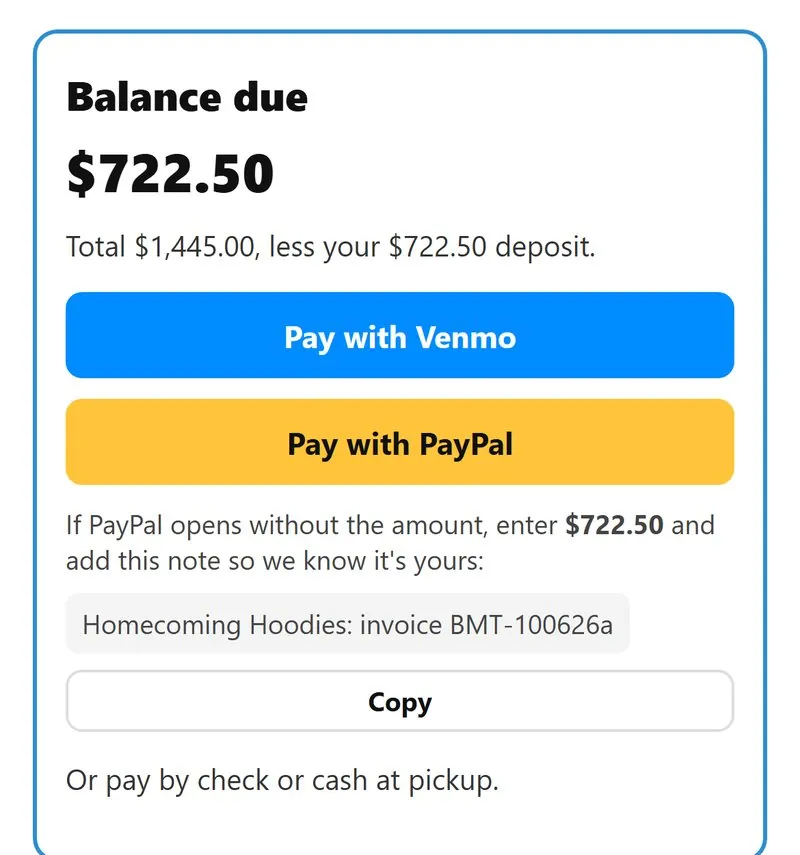
- The money: tick Deposit received and Paid as payments come in, and the customer's invoice link shows the balance.
- The crew: everyone gets their own login at no extra charge. The owner can turn one off.
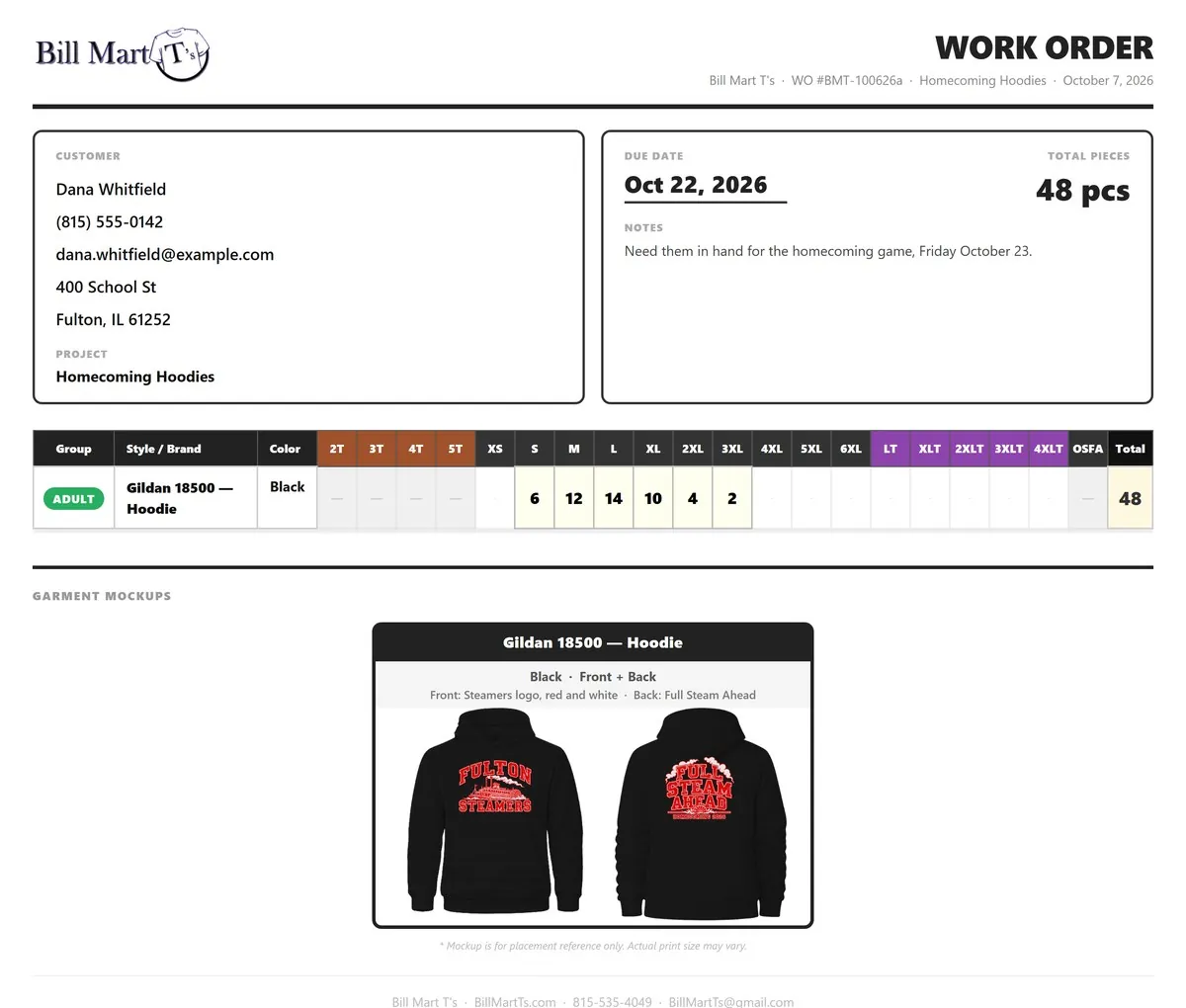
- The floor: the work order has the sizes, colors, placements and mockup, with no prices. It still prints for the press.
- Printavo history: the owner can bring in customers from Printavo's own export, plus one past job for each repeat customer and job, the latest one. The files are read on your computer and never uploaded.
Venmo, PayPal, cash and check payments get ticked by hand. Printavo's export has no sizes, so imported jobs come in without them.
It's $79 a month for everybody in the shop, and the first 14 days are free with no card. Long enough to run that one real order.
Start my free 14 days